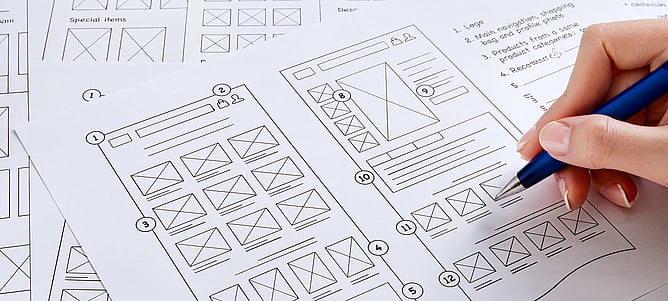
If getting your website content ready feels a little daunting, you’re not alone. A beautiful website starts with great content, just as much as great design. The words, images, and key business details come from you, but I’ll be here to support you through the process, guiding you on what’s needed and when so everything feels organised, manageable, and stress-free.
1. Branding Files
When needed: Before design starts
Your brand identity is the face of your business. It should communicate who you are and what you do. If you’re at the early stages of business or ready for a refresh, my Essentials Brand Package or Signature Brand Package is designed to give you clarity, confidence, and a cohesive visual style before we move into web design.
Primary logo and favicon: The main version of your logo and the small icon that appears in browser tabs.
Brand colour palette and fonts: The colours and typefaces that represent your brand.
Brand guidelines: A document that explains how to use your logos, colours, fonts, and other visual elements.
Any icons, patterns or graphic elements: Additional visual assets that help reinforce your brand style on your website.
💡 Tip: Upload these into one clearly labelled folder in Google Drive or Dropbox to keep everything organised.
2. Images
When needed: Ideally, before design starts
Great imagery instantly lifts the quality and professionalism of your website. If your budget allows, I highly recommend working with a professional photographer — they book out in advance, so it’s worth planning early.
Royalty-free stock images or well-shot photos you’ve taken yourself are also fine — as long as they’re clear, well-lit, and high resolution.
Please provide:
A selection of high-quality images (e.g. team photos, headshots, behind-the-scenes shots, product or service imagery, and simple background photos)
Images that feel authentic to your brand and audience
🗂 Please name files clearly, e.g. Jane-Headshot.jpg
3. Website copy
When needed: Before design starts
Your website copy is simply the text that appears on your site. It should sound like you, speak clearly to your ideal clients, and explain how you can help.
You’ll need to provide the written content for your key pages, such as Home, About, Services, FAQs, and Contact. I’ll guide you on what to include, but full copywriting isn’t included in my web design packages. If you’d like help with wording, I’m always happy to recommend a specialist website copywriter.
Most websites need:
Home page: Value proposition, key services, short About overview, and testimonials
About page: Your story, values, unique approach, credentials, and team info
Services page: Service descriptions, pricing, your process, and any downloadable resources
FAQs: Answers to common client questions
Contact page: Contact details, location (if relevant), office hours, and contact form fields
📝 How to share copy: Google or Word Doc works best.
5. Legal pages
When needed: Before launch
They may not be the most exciting part of your website, but they are essential.
Most websites need:
Privacy Policy: Explains what personal data is collected and how it’s used
Terms & Conditions / Terms of Use: Sets expectations for engaging with your services
Disclaimer: Helps limit liability, especially if you provide advice
Copyright notice: Protects your original content
And finally…
The more prepared you are, the smoother your project will run and the faster we’ll launch your website. And remember, you don’t have to do this alone. If you’re ever unsure what’s needed, just ask. I’m here to guide you through it, step by step.


